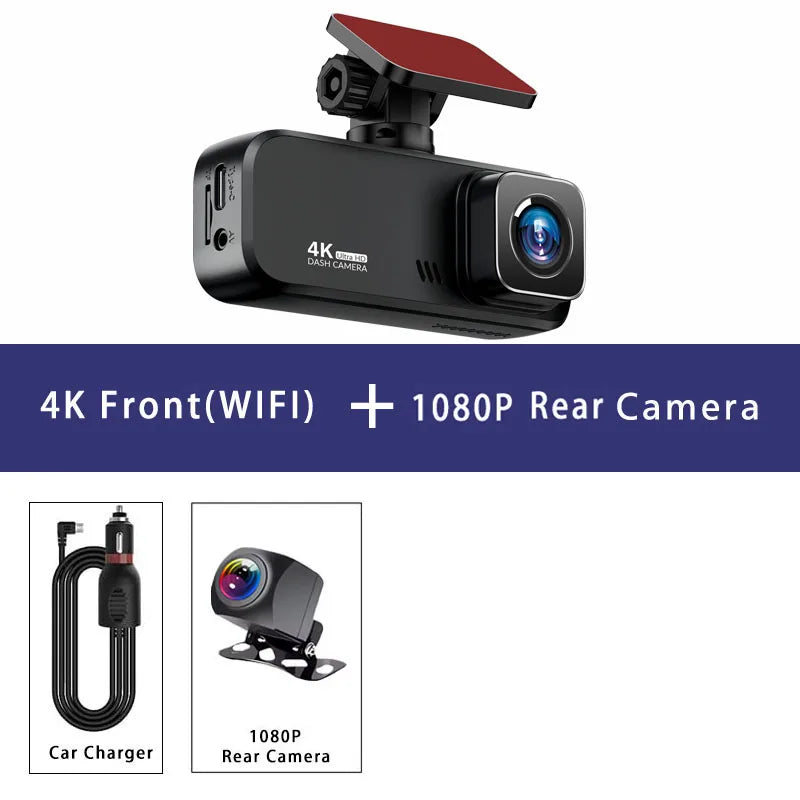
Experience Unmatched Clarity with Our UHD 4K Dash Cam: Front and Rear Cameras for Ultimate Safety!
Experience Unmatched Clarity with Our UHD 4K Dash Cam: Front and Rear Cameras for Ultimate Safety!
Couldn't load pickup availability
4K 2160P Resolution:
Capture crystal-clear footage with the Dash Cam's 4K 2160P resolution, ensuring every detail is preserved.
Night Vision Capability:
NightShot function ensures clear recordings even in low light conditions, enhancing safety during nighttime drives.
GPS Integration:
Integrated GPS logger tracks your journey, providing accurate location data for every drive.
24H Parking Monitor:
Stay vigilant even when parked with the 24-hour parking monitor feature, detecting movements and recording incidents. (If you need the 24 hour parking monitoring function, you can order the corresponding Buck Line accessories to replace the car charger.Through Buck Line, the DVR power can be obtained directly from the car battery or car ACC, so that the DVR can maintain normal recording work even when the car is turned off.(Since different car models have different battery interfaces or ACC interfaces, it is not recommended to install it by yourself. It is recommended to find a professional to install the Buck Line.)
Dual Lens System:
Equipped with a dual lens system, it offers comprehensive coverage of both front and rear views for complete security.
1. Before connecting to the DVR on the phone, it is necessary to install the WIFI connection app "Viidure APP" in advance.You can search for "Viidure" installation in the Apple App Store or Google App Market.
2.Open the "Viidure" APP on your phone, enter the configuration mode, turn on the wifi function of the phone, follow the prompts to find the SSID wifi signal of the DVR and enter the password(12345678) to connect;
3.After successful configuration, you can connect and operate the DVR through the "Viidure" APP.
About The Installation And Use Of GPS:
1. Connect the GPS module to the DVR;
2. Install the DVR on the car and start the recording mode. Start the car outdoors and drive for a certain distance. The GPS module will automatically capture the satellite signal and the DVR will automatically record the video with the GPS driving track.
Video Playback Of GPS Tracks:
1. Install the GPS dedicated video player "Hit GPS Player" on your computer. Please enter the link below in your computer browser to download and install;
Download link: https://pcgps.ce2ce.com/hit/hitplayer.html
2. Open the recorded DVR video with GPS track information on the computer through "Hit GPS Player" to play back the GPS driving track.